
Using Process Prompts
When used in the pre () function, upon execution of the process this function will raise a question to the user executing the process.
Usage
js
script.prompt(messageToUser, variableName, defaultValue, options);Parameters
messageToUserthe name of the request to the user (who is executing the process).variableNamethe variable within which to store the users response.defaultValuethe default value to prepopulate the prompt with.options(optional) an array of values to offer as a dropdown, instead of a free-text box. The user picks one.
Example
Both forms in a single pre() function - the first prompt takes free text, the second is limited to a fixed list:

When the process runs, each prompt becomes a field in the Execute Process dialog. The three-argument prompt renders a text box; the one carrying a list renders a dropdown restricted to those values:
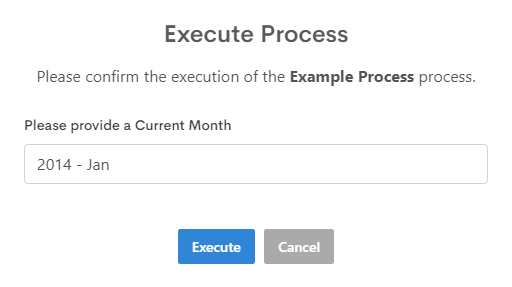
Whatever the user enters is stored in the named variable - monthvar and accountvar here. These are global, so any other function in the process can read them.
Give every prompt a sensible default
The third argument prepopulates the field. For a list prompt it should be one of the values in the array, otherwise the dialog opens with nothing selected.