
How to switch your active instance
In the current version of MODLR gateway you can have one active instance at a time. This short guide will explain how to change which instance is your currently selected instance.
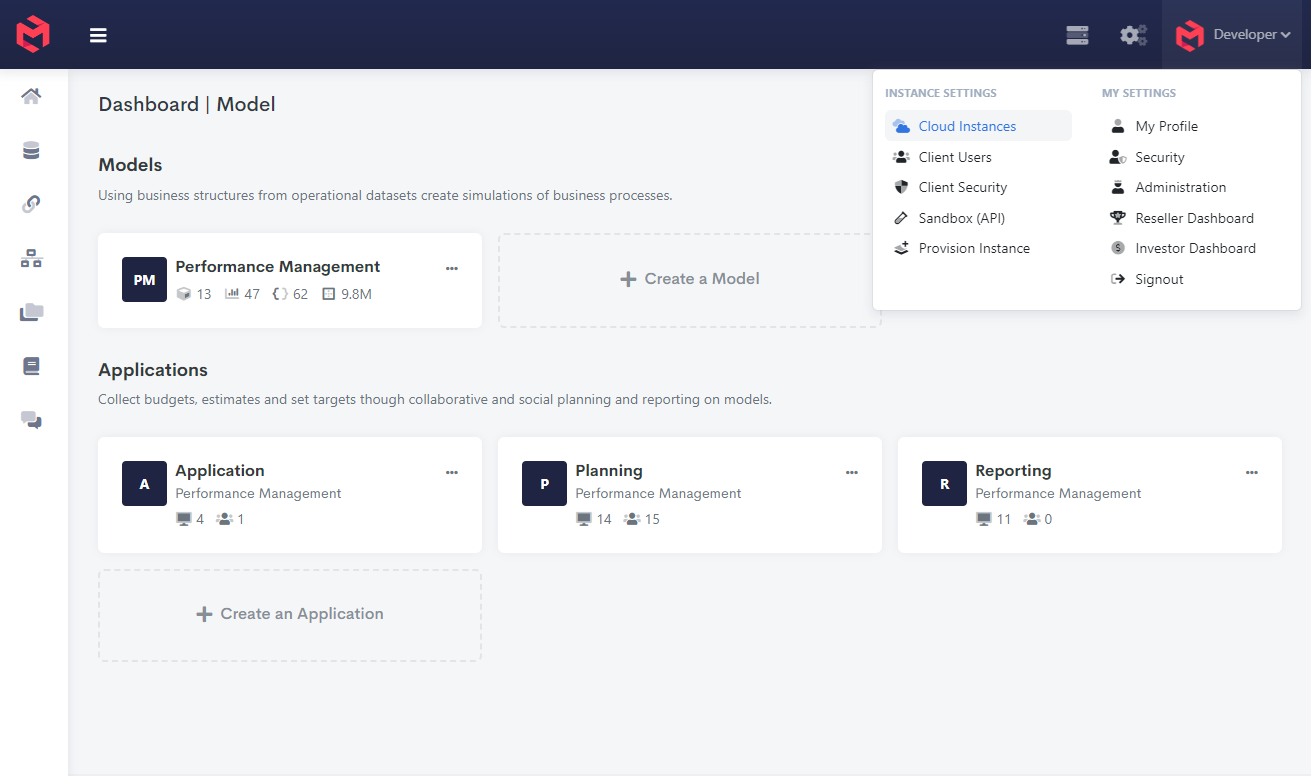
Click on your name at the top right of the screen and select Manage Account
Select the Cloud Instances tab
Find the instance you would like to select.
Click on the the Action button and choose Set Active.
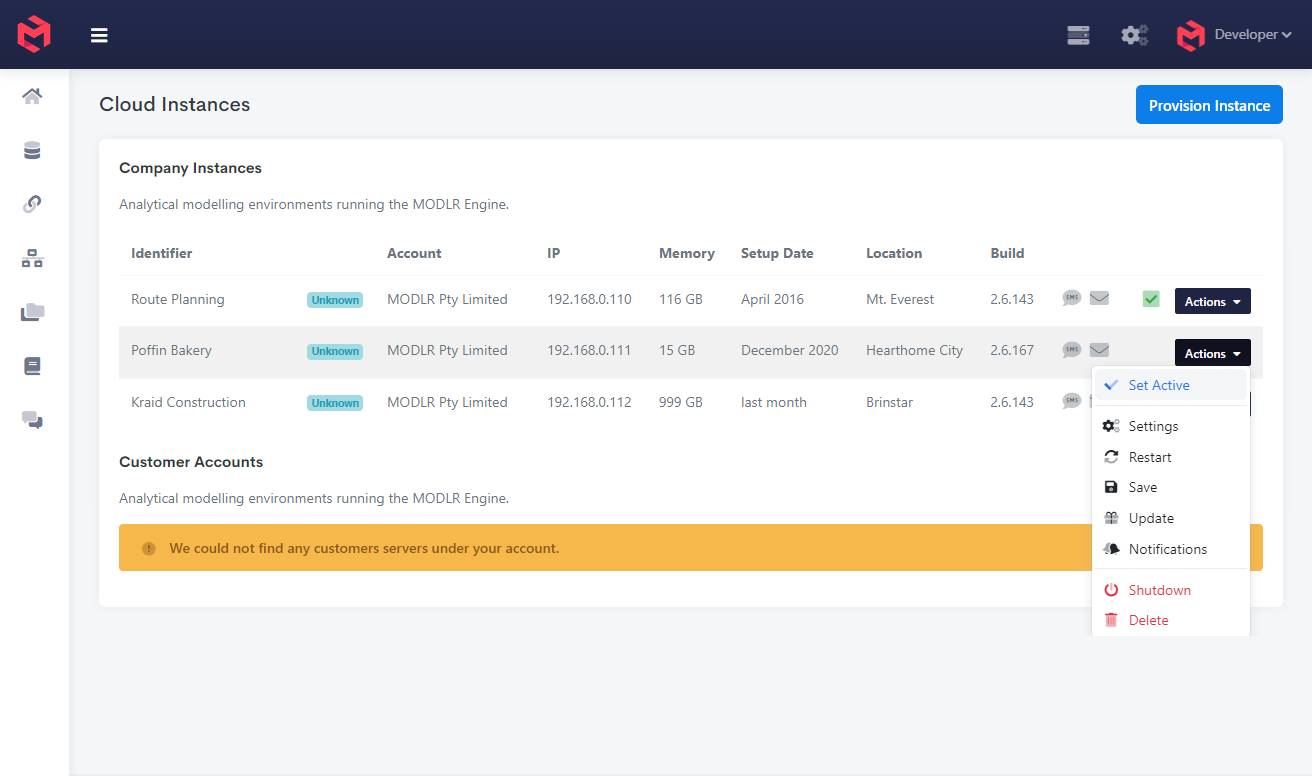
This will change your active instance to the selected instance.