
MODLR for PowerPoint
Welcome to the official documentation for MODLR for PowerPoint - a powerful Microsoft PowerPoint add-in designed to seamlessly integrate with the MODLR platform. MODLR for PowerPoint serves as a versatile presentation layer for the MODLR platform, enabling users to harness the full potential of the cards reporting platform for dynamic management reporting directly within their presentations.
Functional Demo
Introduction to the new Microsoft Office Add-in from the MODLR Team
Embedded Video:
About
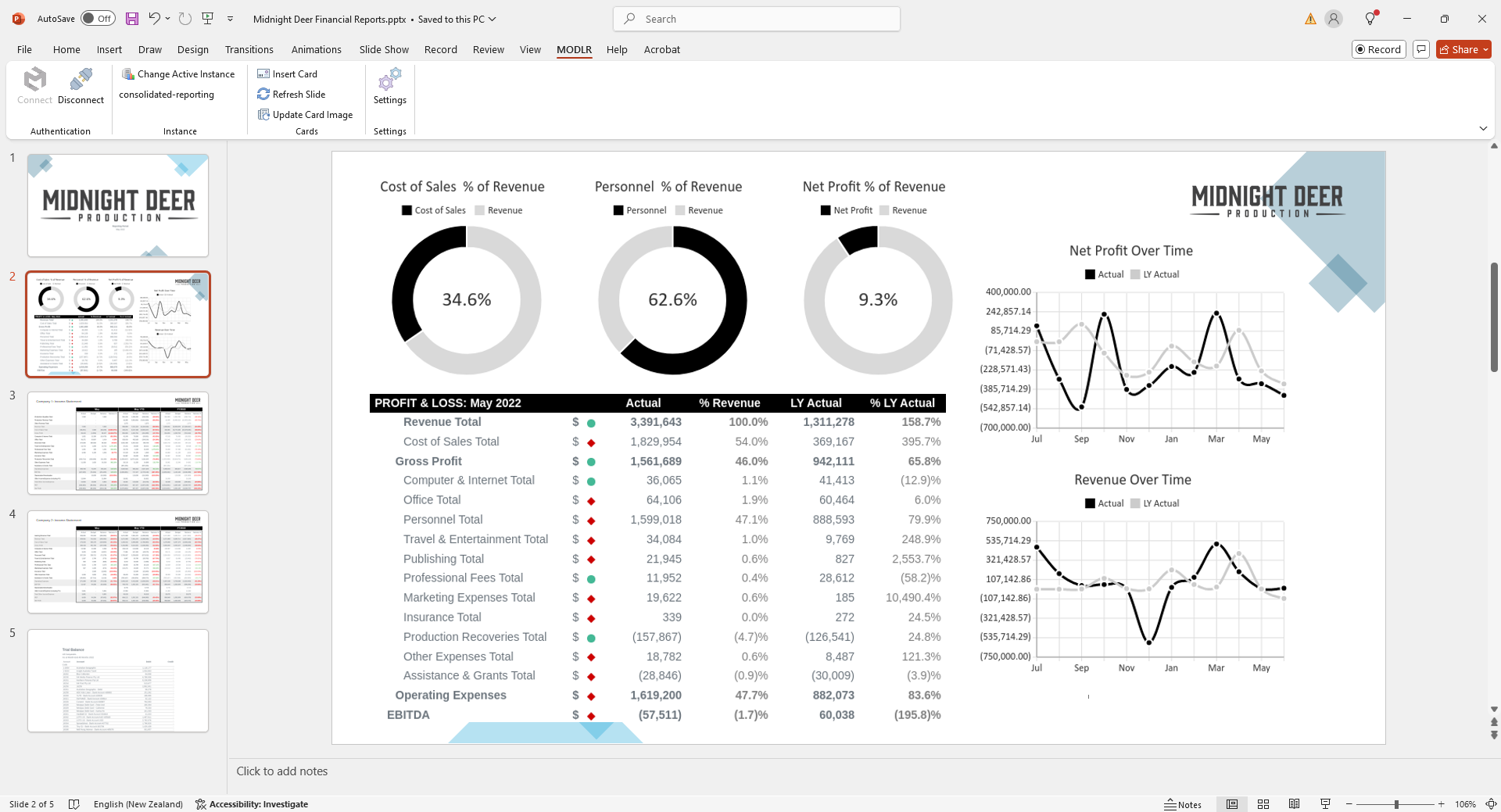
MODLR for PowerPoint elevates the experience of regular presentational reporting by providing a seamless bridge between MODLR's powerful dashboarding and reporting capabilities and the user-friendly interface of Microsoft PowerPoint.
Getting Started
This documentation is designed to help you get the most out of MODLR for PowerPoint - whether you're just getting started or already familiar with the MODLR platform. Inside, you'll find clear step-by-step guides, helpful tips, and best practices for building dynamic, data-connected presentations with ease.
To begin, head over to the Installation & Setup guide to get the add-in up and running in Microsoft PowerPoint.
TIP
This documentation assumes you're already familiar with core MODLR concepts like Models, Cubes, and Cards.