
Navigating a Model
By selecting a model, the user is presented with a new screen for developing and browsing model objects.
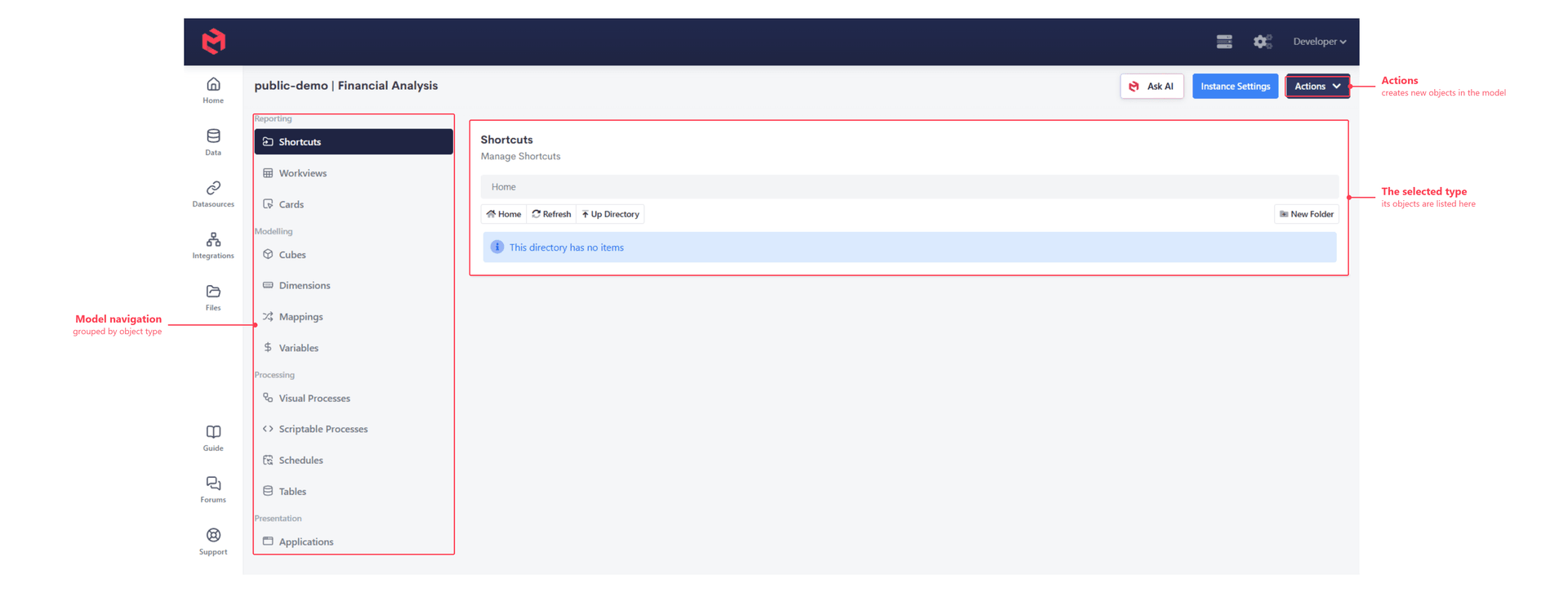
The model navigation runs down the left, grouping every object type in the model. Selecting one lists the objects of that type, and selecting an object from the list opens it.
| Group | Contains |
|---|---|
| Reporting | Shortcuts, Workviews, Cards |
| Modelling | Cubes, Dimensions, Mappings, Variables |
| Processing | Visual Processes, Scriptable Processes, Schedules, Tables |
| Presentation | Applications |
The Actions menu at the top right creates new objects within the model.