
Packages
Packages are a proprietary file type developed by MODLR (.package), used to export and import pre-built model objects - moving work between models, or between instances such as Development and Production.
Both actions are reached from the model's Actions menu.
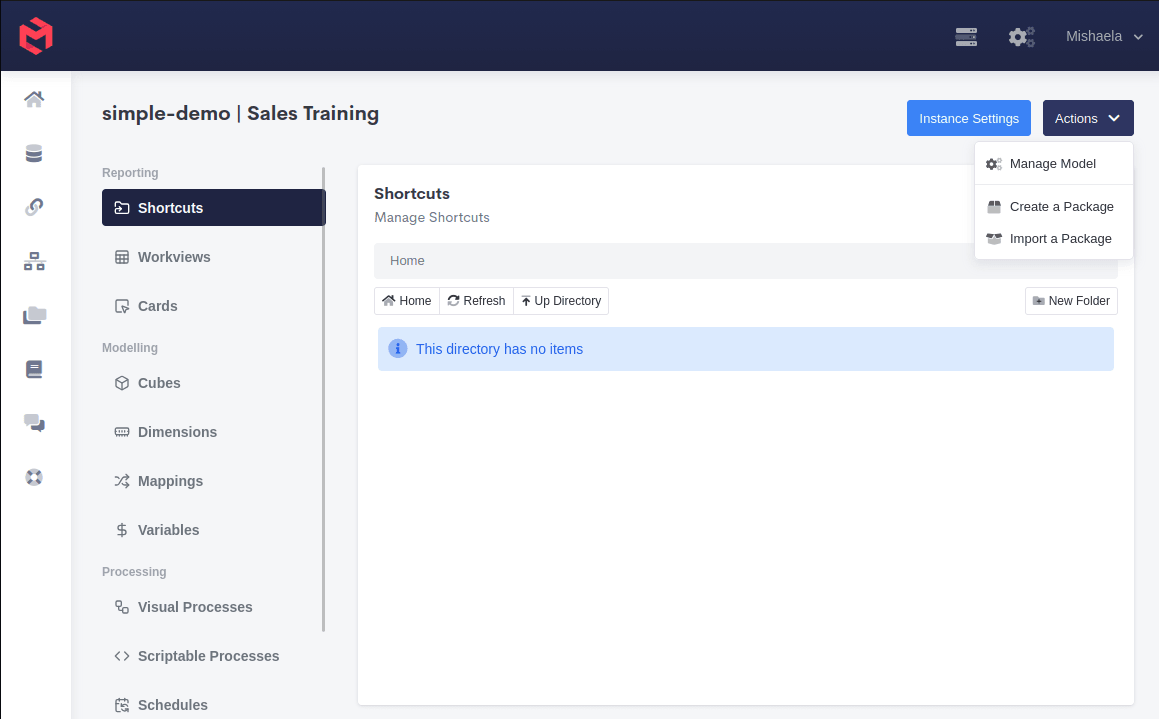
Creating a Package
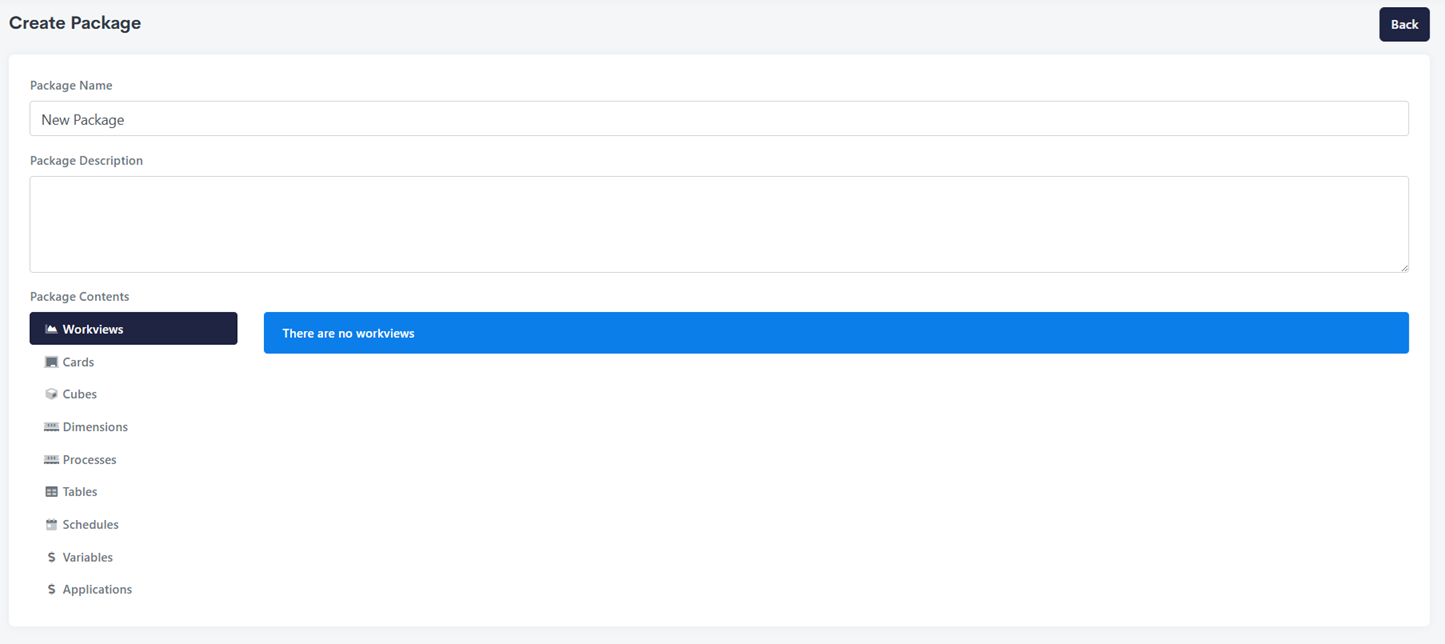
Create a Package asks for a name and description, then which model objects to include.
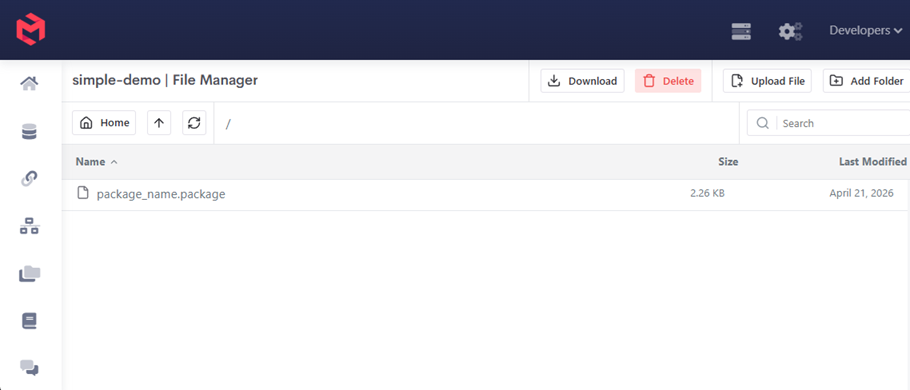
After saving, the package is written to the root directory of the model's file system, where it can be downloaded from the File Manager.
Importing a Package
Import a Package asks for the file, then shows what it contains so you can choose what to bring in.
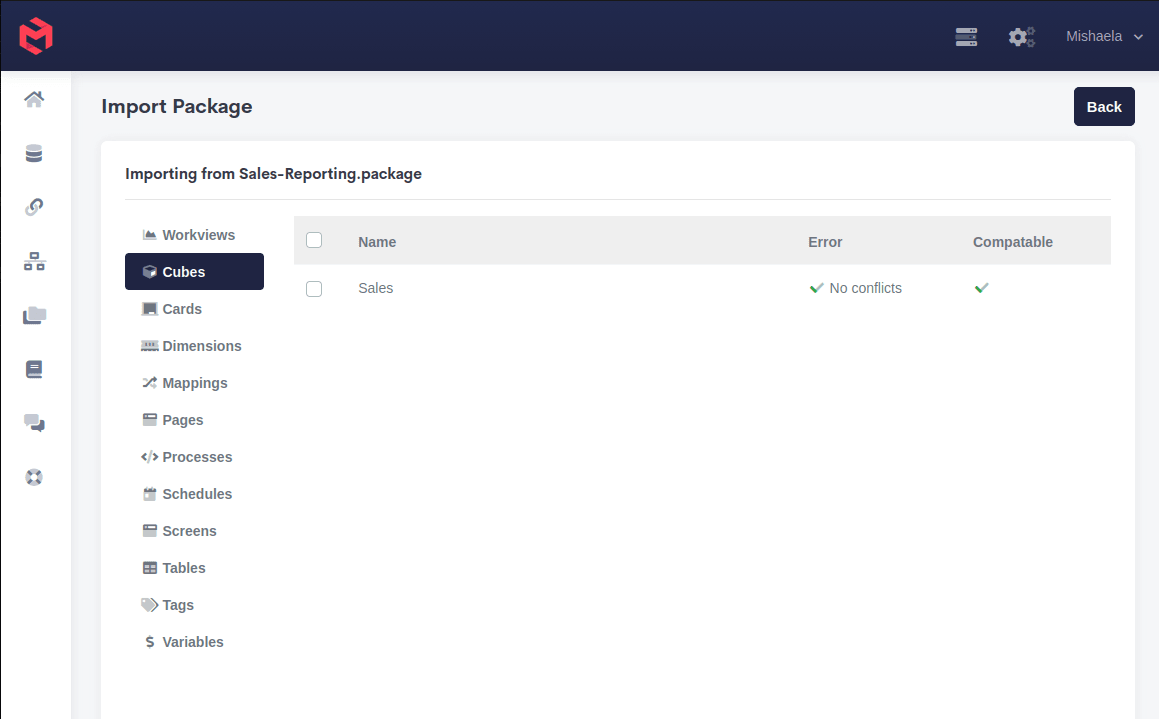
Contents are grouped by object type, and a package can carry any of:
| Workviews | Cubes | Cards |
| Dimensions | Mappings | Pages |
| Processes | Schedules | Screens |
| Tables | Tags | Variables |
Each object is checked before import and reported against two columns: whether it conflicts with something already in the target model, and whether it's compatible with it. An object showing No conflicts is safe to bring in as-is; a conflict means the target model already has an object of that name, and importing will act on the existing one.
Check conflicts before importing into a live model
The conflict column is the only warning you get that an import will overwrite existing work. Importing into Production is worth doing from a package that has already been imported into a Development instance and checked there first.
Importing runs as a background task, so a large package doesn't block the Gateway. It appears in the Task Manager as a Package Import task while it runs.
Related
- Model Objects - the object types a package can carry
- File Manager - where created packages are written
- Logs and Monitoring - watching an import run
- Security Package - a prebuilt package adding a front-end UI for model security