
Using Model Variables
A model variable can be inserted into a set with the Insert Variable instruction. The key and the value can be anything you like - what decides whether a variable is usable in a given set is its value: it has to be an element of the dimension whose set you are editing.
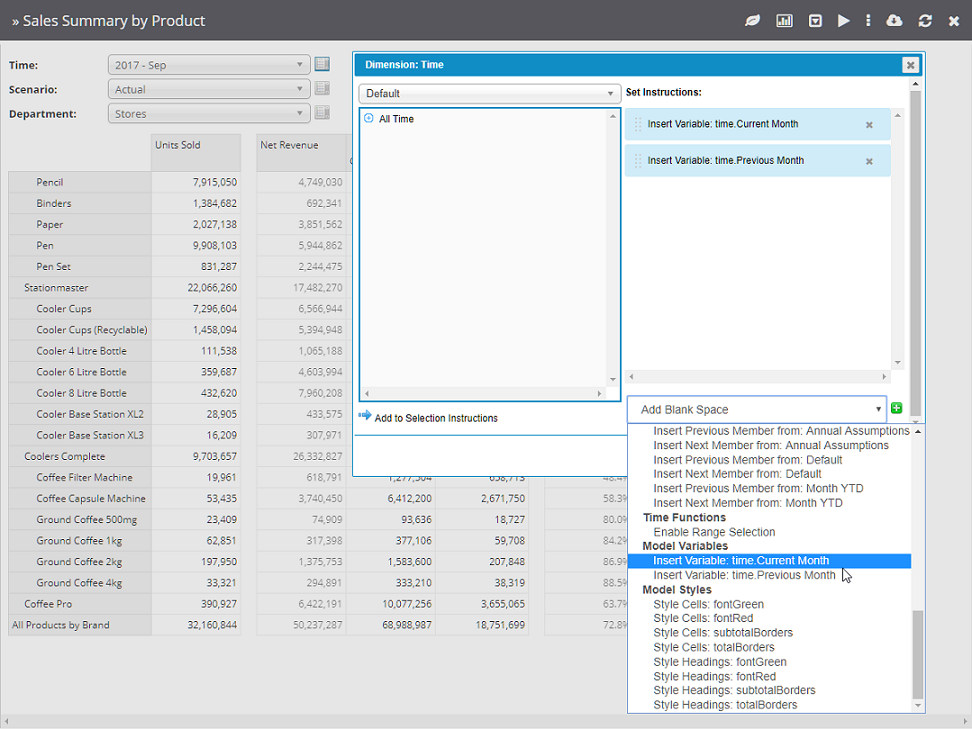
In the list above, Time.Current Month holds the value 2022 - Jul. That value is an element of the Time dimension, so the variable can be inserted into a set built on Time. Naming the key with a Time. prefix is a useful convention for grouping variables, but it is the value - not the key - that determines where a variable can be used.
The variable is picked up in a set through the Insert Variable instruction:
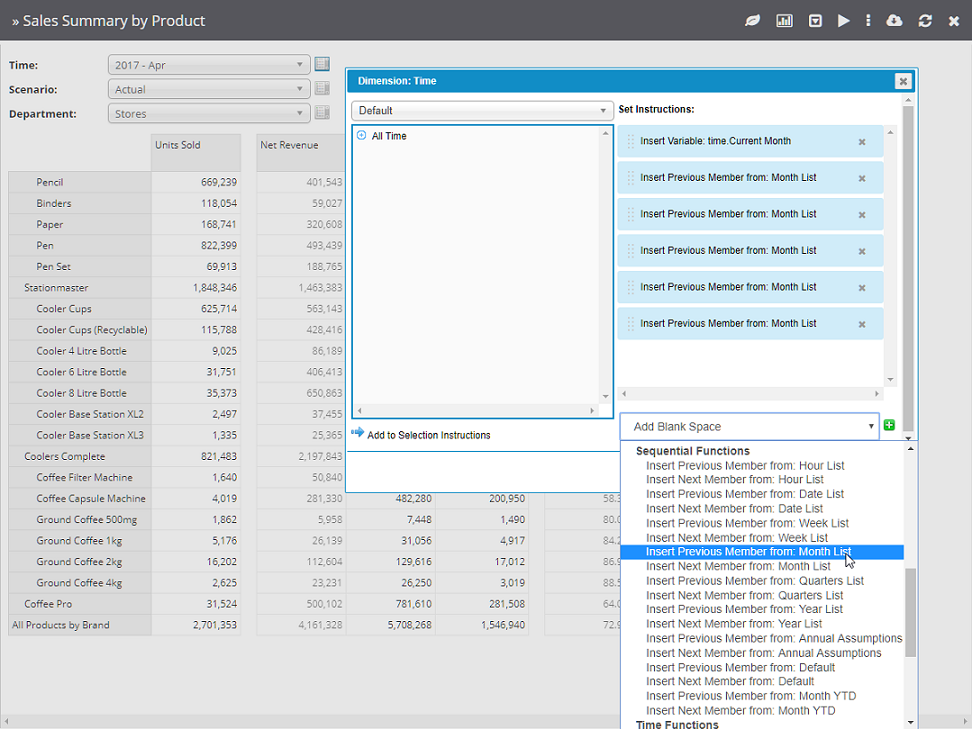
Here Time.Current Month resolves to 2022 - Jul, and the two Insert Next Member from: Month List instructions after it extend the set to 2022 - Aug and 2022 - Sep. Because the starting point is the variable, the whole set moves forward on its own whenever the variable is updated.
See Sequential Set Functions for more on the Next and Prior Member instructions.