
Ribbon Overview
Connecting the add-in adds a MODLR tab to Excel's ribbon. Its controls are grouped by purpose:
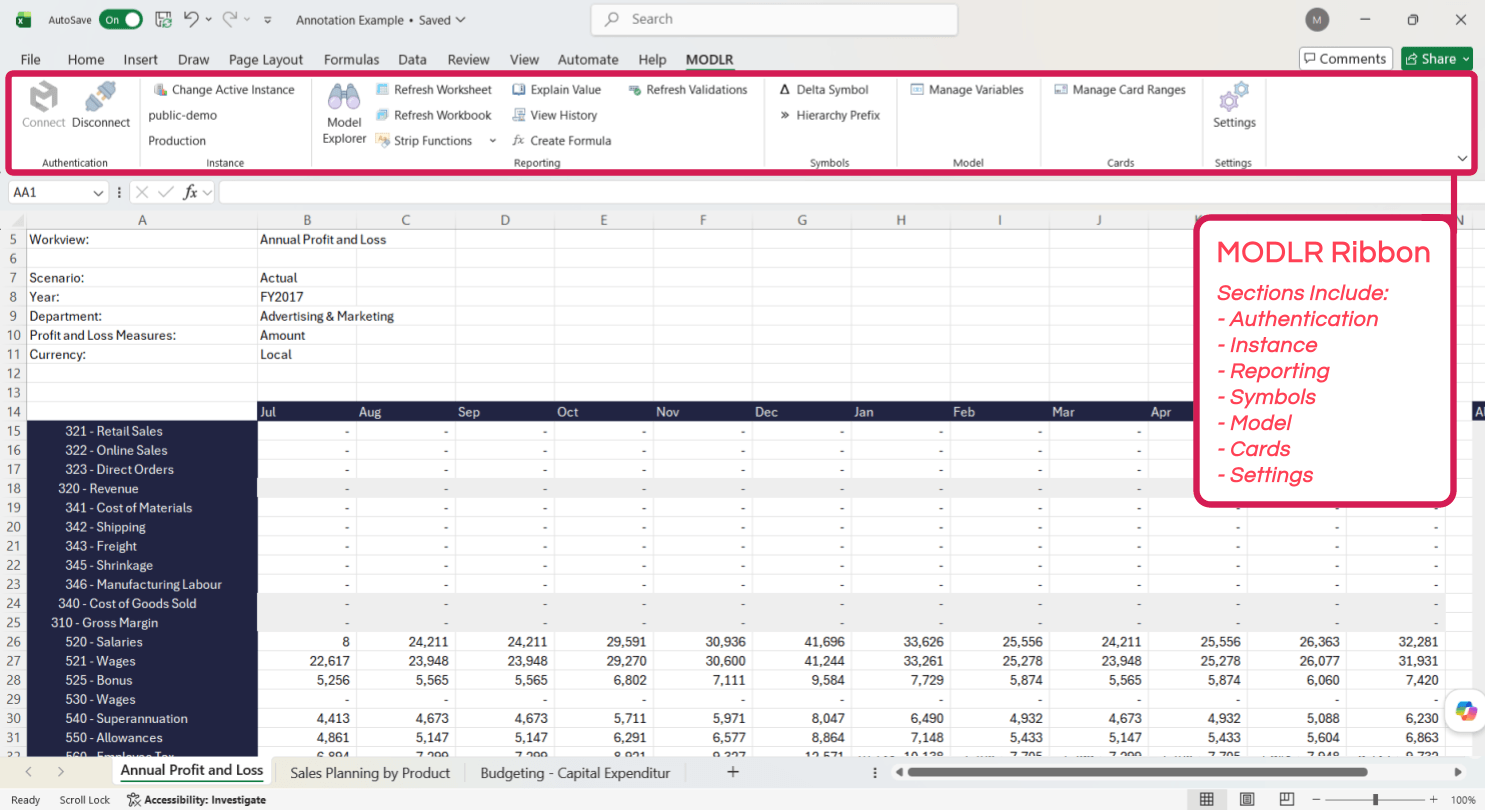
| Group | Contains |
|---|---|
| Authentication | Connect and Disconnect. See Authentication. |
| Instance | The active instance, and Change Active Instance to switch between them. |
| Reporting | Model Explorer, Refresh Worksheet, Refresh Workbook, Strip Functions, Explain Value, View History, Create Formula and Refresh Validations. See Reporting. |
| Symbols | Delta Symbol and Hierarchy Prefix. See Symbols. |
| Model | Manage Variables - accessible only to Modellers. See Model. |
| Cards | Manage Card Ranges. See Cards in Excel. |
| Settings | Add-in settings. See Settings. |
The Instance group is worth knowing about: the add-in connects to one instance at a time, and the group shows which. Refreshing a workbook built against Production while connected to Development returns that instance's numbers, not an error - so check it before wondering why figures moved.
See also Live Workview for working against a Workview rather than individual cells.