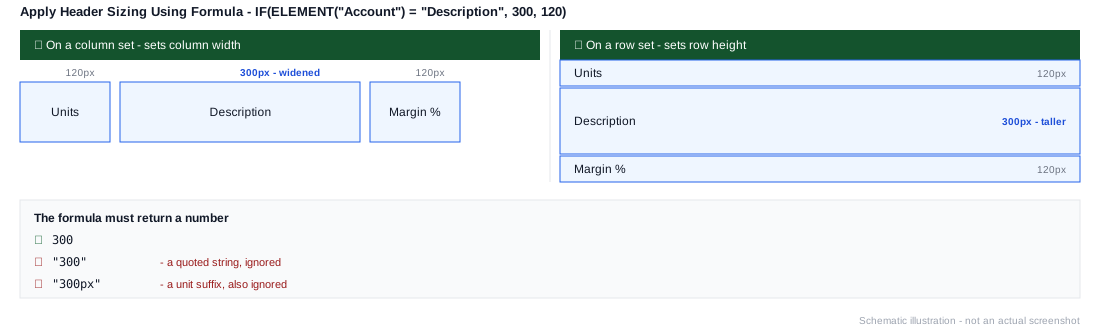
Apply Header Sizing Using Formula
Sets the column width or row height for each element in the working list, computed per element by a formula - column width if the set is on a column axis, row height if it's on a row axis.
Must evaluate to a number
The formula has to return a plain number - 200, not "200" or "200px". A quoted string or a value with a unit suffix isn't applied.
| Argument | Type | Description |
|---|---|---|
| Formula | Formula | The formula to evaluate for each element in the working set |
Example
IF(ELEMENT("Account") = "Description", 300, 120)On a column set, this widens the Description column to 300 pixels while leaving every other column at 120; on a row set, the same formula sets the Description row's height to 300 instead - useful when one or two elements need more room than the rest without manually resizing each one.