Adding Formula
We will add some basic formula to our cube. Open the default workview by clicking on open next to our cube in the Model page.
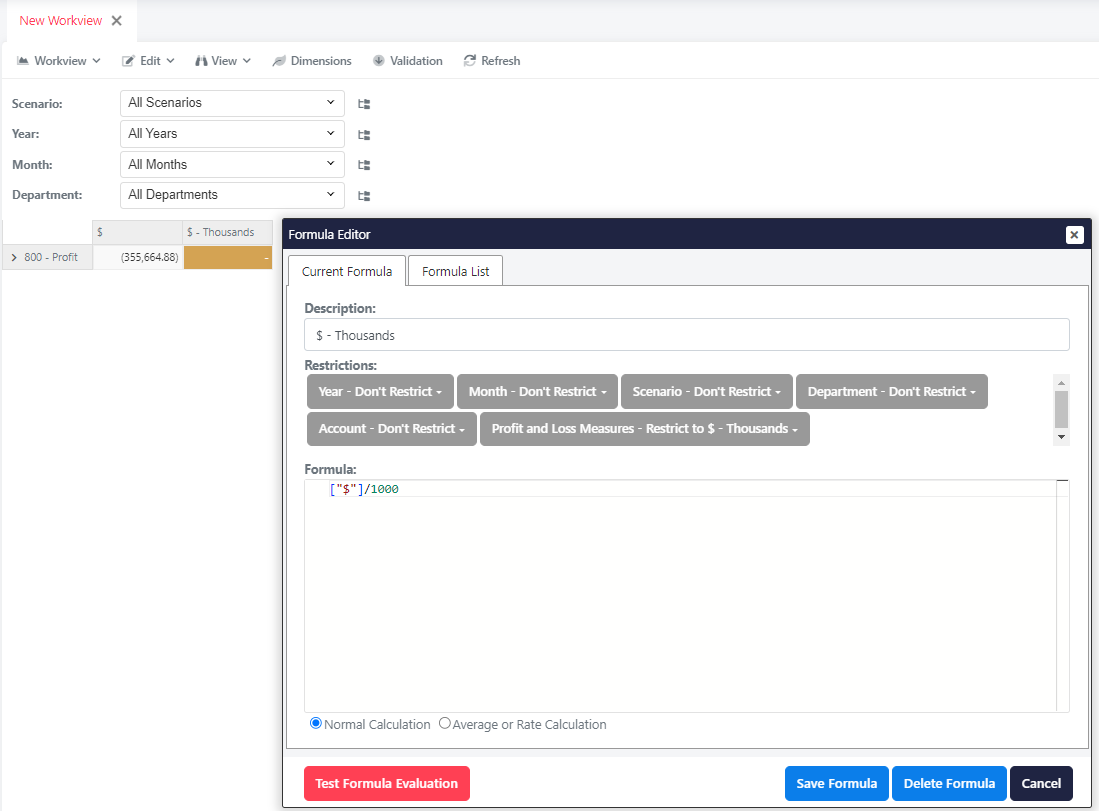
We will add a formula to calculate $ - Thousands. Right click on the highlighted cell and select Edit Formula to open the editor.
Enter the formula ["$"]/1000 and click Save Formula.
TIP
To choose the value of $, we can simply click on the cell while we are on the formula editor. This will insert the ["$"] part.